SiteCrew AI

SiteCrew AI

Overview

Overview

Construction teams need to onboard workers fast, but they also have to meet strict compliance requirements that change depending on the role, site, and state.

That process is usually messy, manual, and easy to get wrong.

I designed SiteCrew AI to simplify onboarding while automatically tracking certifications and compliance. The goal was to reduce risk, save time, and give teams a clear understanding of who is ready to work—and what needs attention.

My Role

I designed the product end-to-end.

That included defining the structure, mapping workflows, and creating all core screens—dashboard, onboarding, compliance, worker profiles, AI assistant, and settings.

I focused heavily on making AI actually useful, not just something added on top.

Users

Operations Managers / HR
Need visibility into onboarding and compliance and are responsible for keeping everything moving.

Site Supervisors
Need to quickly know who is approved to work without digging through data.

Workers
Just want a simple way to complete onboarding without confusion.

My Role

I designed the product end-to-end.

That included defining the structure, mapping workflows, and creating all core screens—dashboard, onboarding, compliance, worker profiles, AI assistant, and settings.

I focused heavily on making AI actually useful, not just something added on top.

Users

Operations Managers / HR
Need visibility into onboarding and compliance and are responsible for keeping everything moving.

Site Supervisors
Need to quickly know who is approved to work without digging through data.

Workers
Just want a simple way to complete onboarding without confusion.

Friction

Friction

Onboarding in construction is slow, inconsistent, and high-risk.

Workers have to submit multiple documents, requirements change depending on the job, and managers don’t have a clear view of who is actually compliant.

Most tools don’t really solve this—they just store information. That leaves teams manually checking everything, which is where mistakes happen.

Insight

Insight

The problem isn’t a lack of data—it’s a lack of clarity.

Managers don’t need more dashboards. They need to know:
what’s wrong, who it affects, and what to do next.

That’s what shaped the direction of this product. AI became a way to surface issues and guide action, not just display information.

GOALs

GOALs

I wanted to design a system that:

> Manages and tracks key data
> increases efficiency when onboarding and tracking compliance and certifications
> Integrates AI to assist with decision making
> reduces back-and-forth communication
> Is functional for all users
The Solution

The Solution

I designed a system that connects onboarding, worker data, certifications, and compliance rules into one experience.

Instead of jumping between tools or spreadsheets, everything lives in one place and works together.

The system includes:

  • a dashboard focused on risks and alerts

  • a pipeline-based onboarding flow

  • worker profiles with full visibility

  • a compliance engine based on real rules

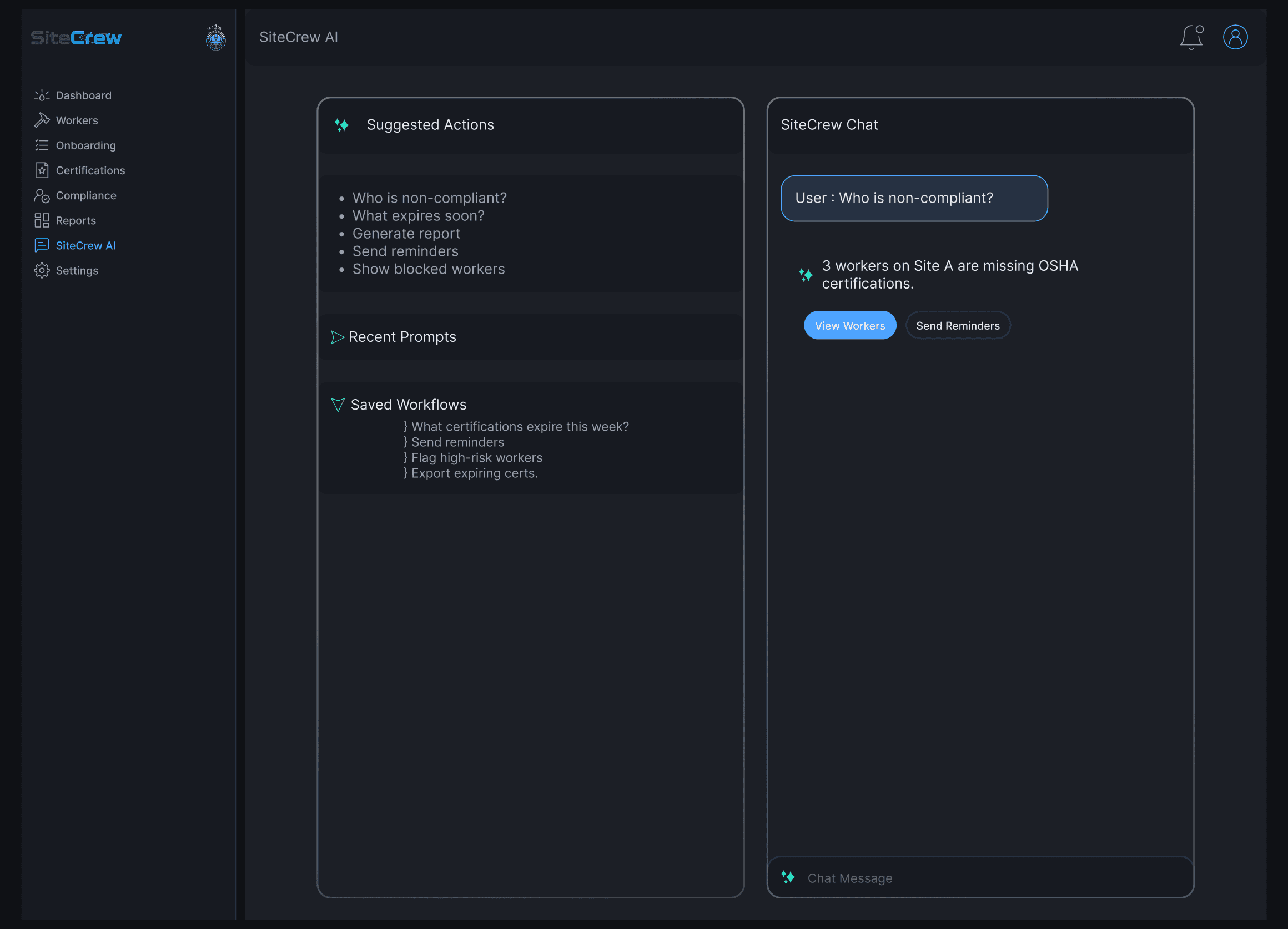
  • an AI assistant that helps users take action

The goal was clarity—so teams always know what’s happening and what to do next.

I designed a system that connects onboarding, worker data, certifications, and compliance rules into one experience.

Instead of jumping between tools or spreadsheets, everything lives in one place and works together.

The system includes:

  • a dashboard focused on risks and alerts

  • a pipeline-based onboarding flow

  • worker profiles with full visibility

  • a compliance engine based on real rules

  • an AI assistant that helps users take action

The goal was clarity—so teams always know what’s happening and what to do next.

Dashboard

Dashboard

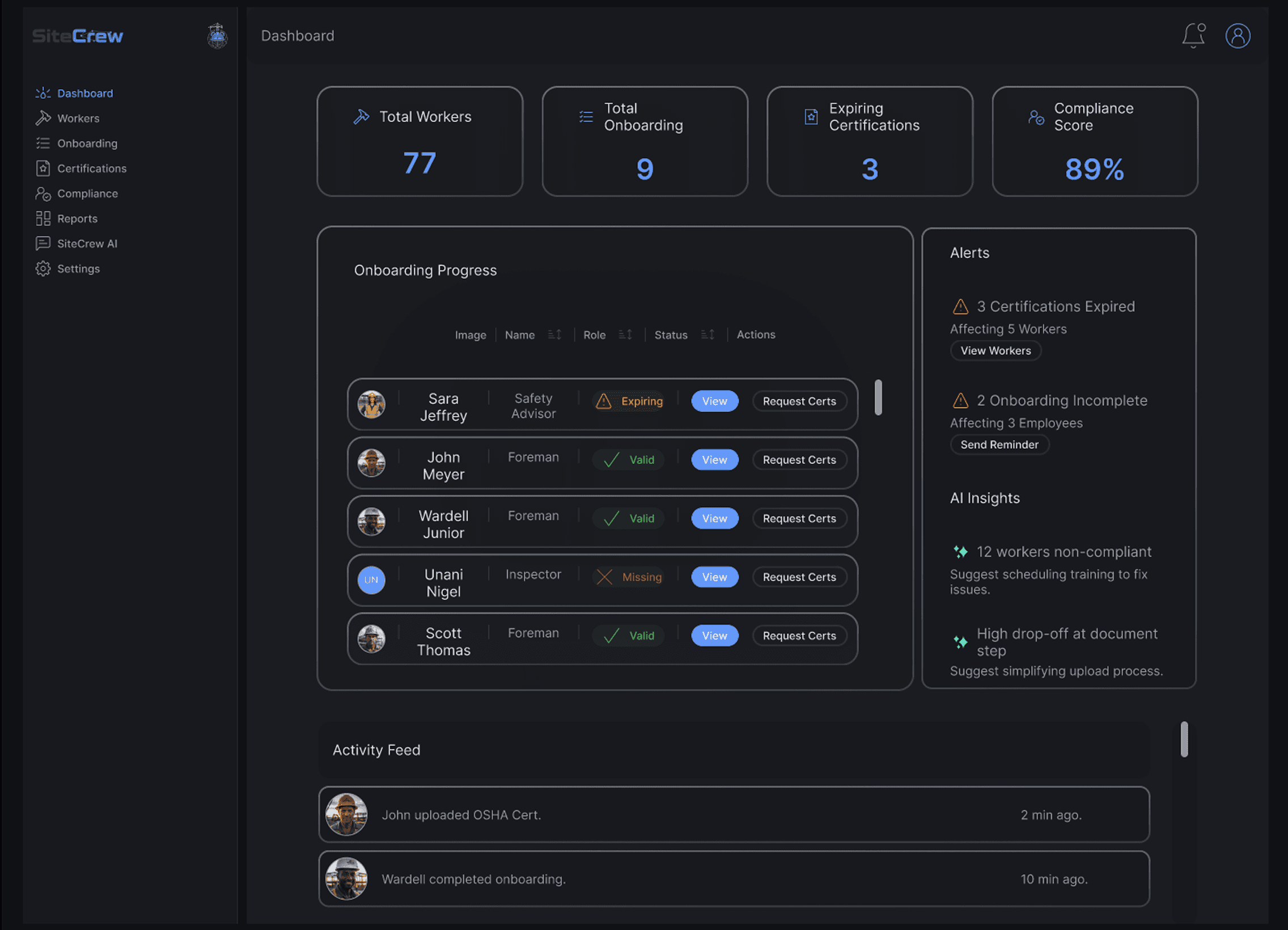
The dashboard is built around what actually matters.

Instead of just showing numbers, it highlights:

  • expiring certifications

  • non-compliant workers

  • onboarding that’s stuck

AI adds context so users don’t have to figure things out themselves. It points out issues and suggests what to do next, which makes the whole system feel more proactive.

The dashboard is built around what actually matters.

Instead of just showing numbers, it highlights:

  • expiring certifications

  • non-compliant workers

  • onboarding that’s stuck

AI adds context so users don’t have to figure things out themselves. It points out issues and suggests what to do next, which makes the whole system feel more proactive.

Onboarding

Onboarding

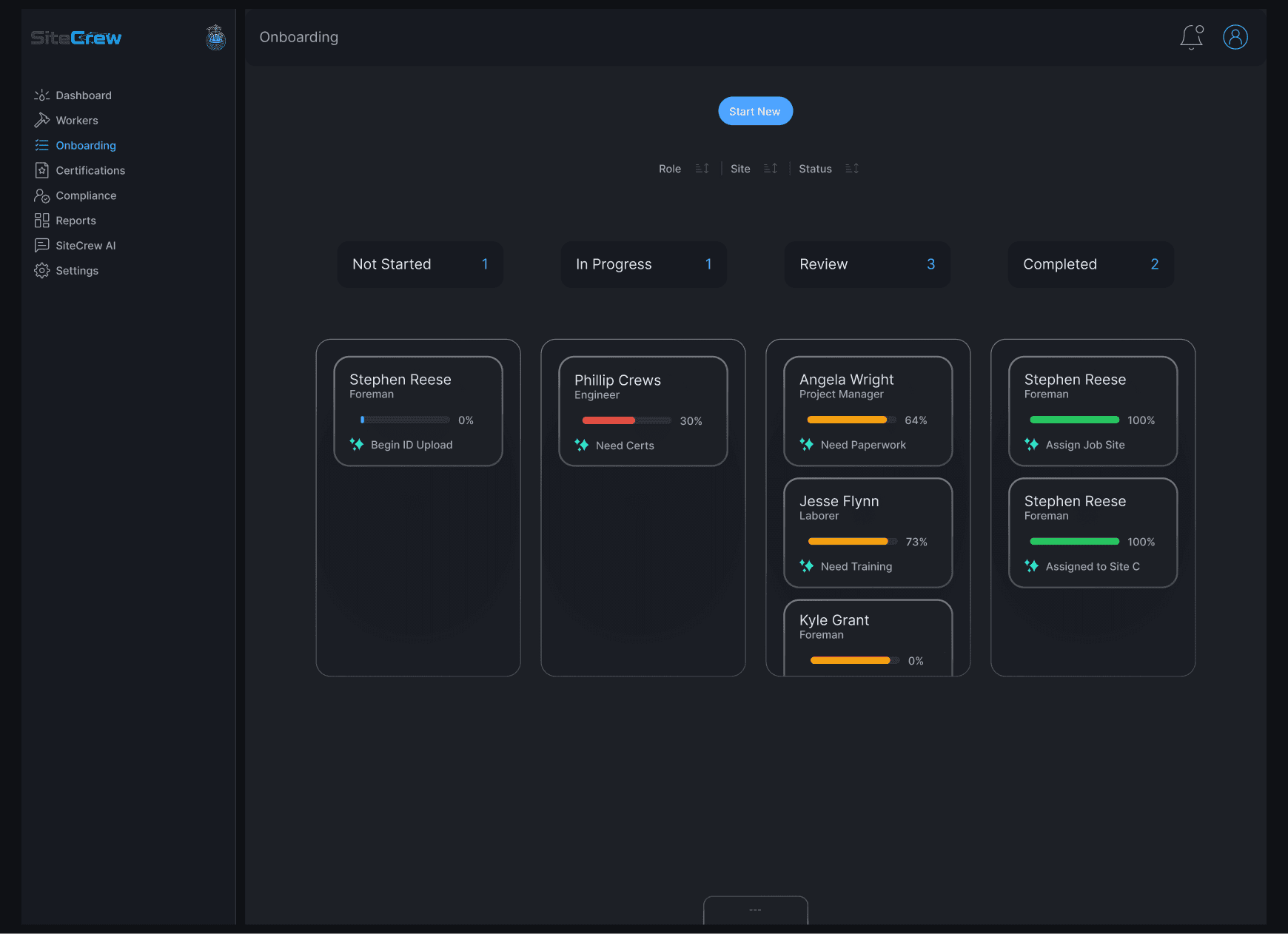
Onboarding is designed as a structured pipeline.

Workers move through clear stages:
Not Started → In Progress → Review → Completed

Each worker is shown as a card with their progress and status, so it’s easy to see where things are breaking down.

AI helps surface what’s missing and what needs to happen next, turning onboarding into a guided process instead of a checklist.

Onboarding is designed as a structured pipeline.

Workers move through clear stages:
Not Started → In Progress → Review → Completed

Each worker is shown as a card with their progress and status, so it’s easy to see where things are breaking down.

AI helps surface what’s missing and what needs to happen next, turning onboarding into a guided process instead of a checklist.

Compliance

Compliance

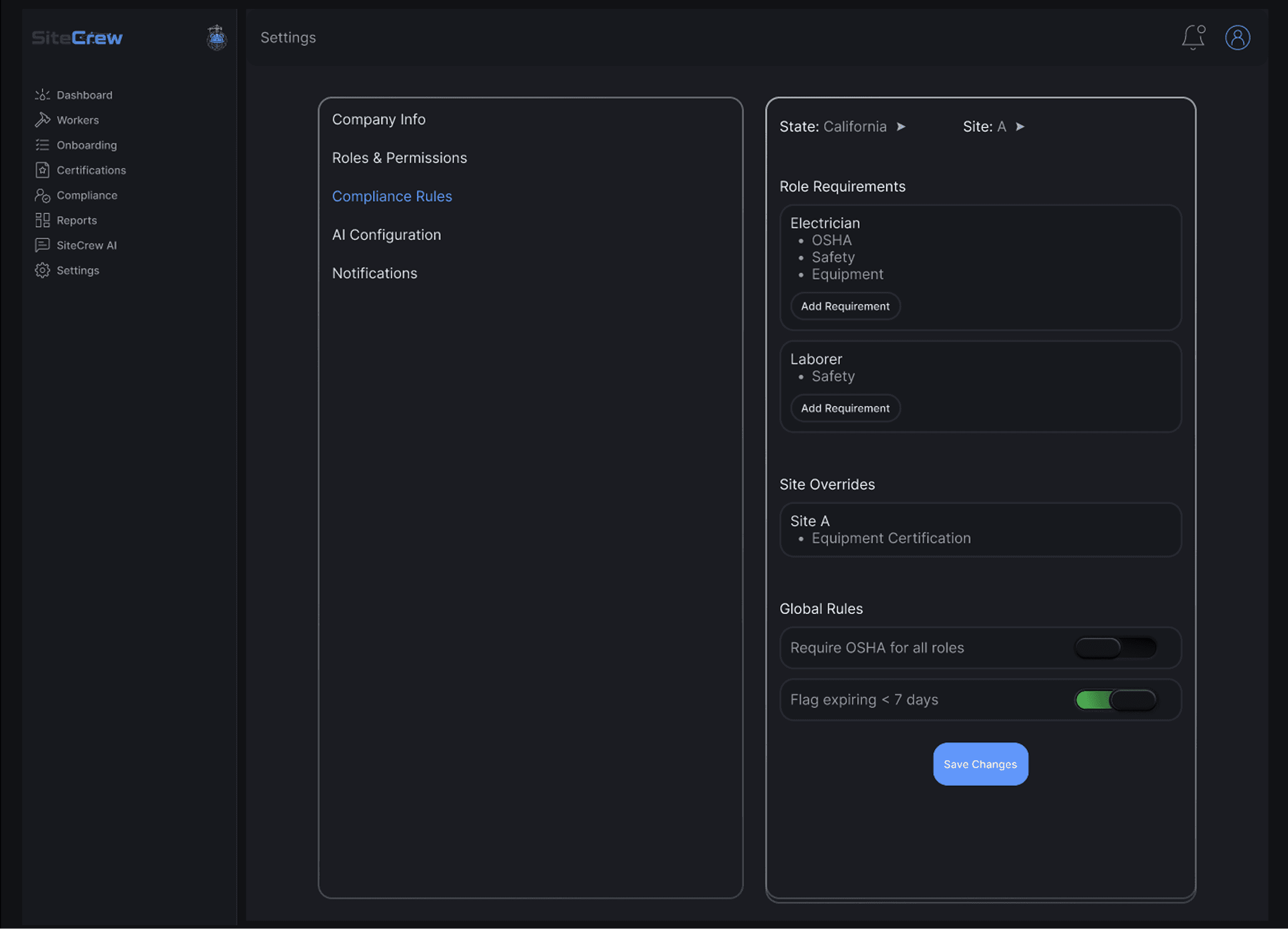
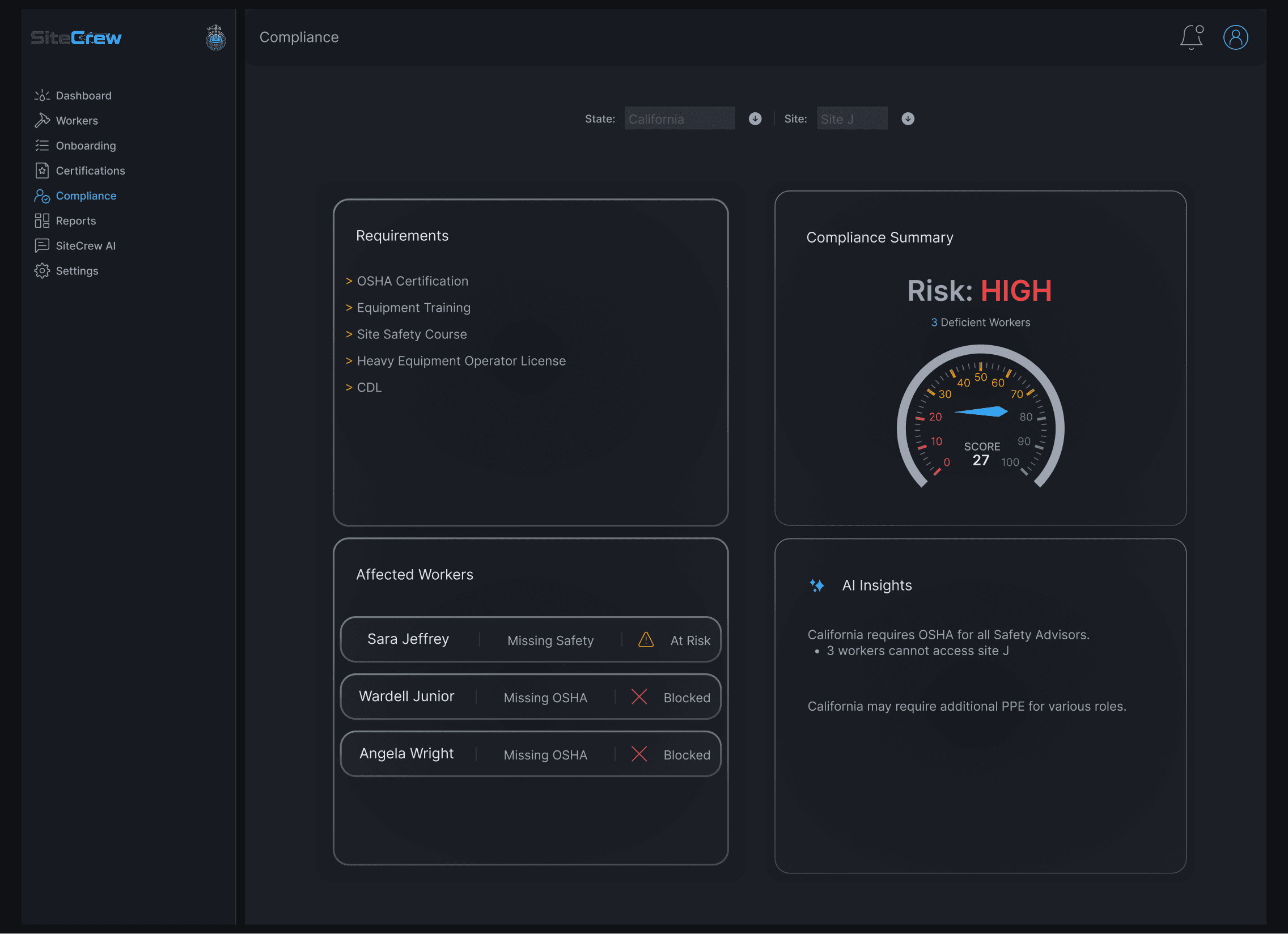
Compliance is handled through a rules-based system.

Requirements are determined by:

  • state

  • site

  • role

The system evaluates each worker against those rules and shows exactly what’s missing and who is at risk.

AI helps explain why something is required and what needs to be fixed, which removes a lot of guesswork.

Compliance is handled through a rules-based system.

Requirements are determined by:

  • state

  • site

  • role

The system evaluates each worker against those rules and shows exactly what’s missing and who is at risk.

AI helps explain why something is required and what needs to be fixed, which removes a lot of guesswork.

Worker Profile

Worker Profile

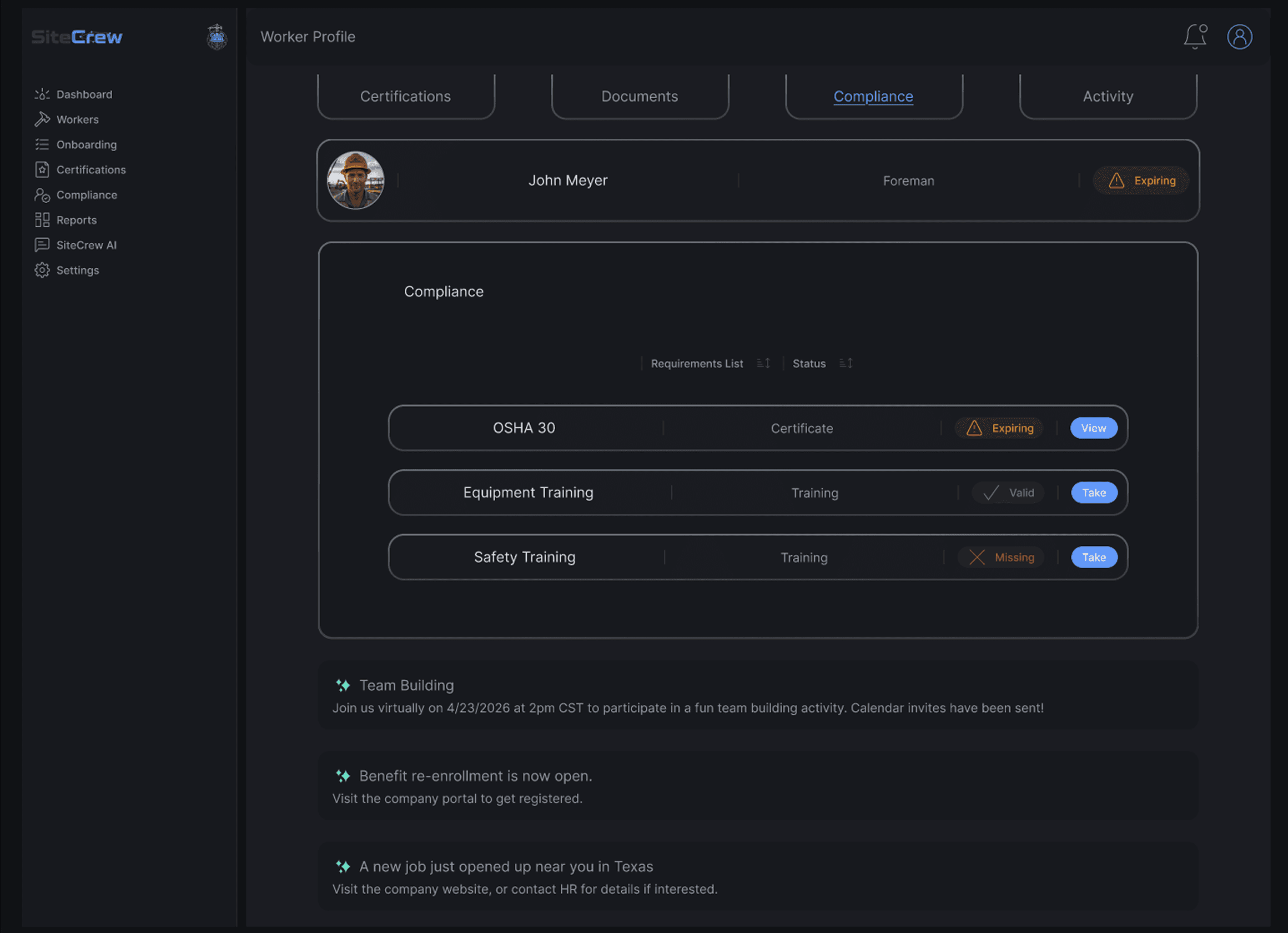
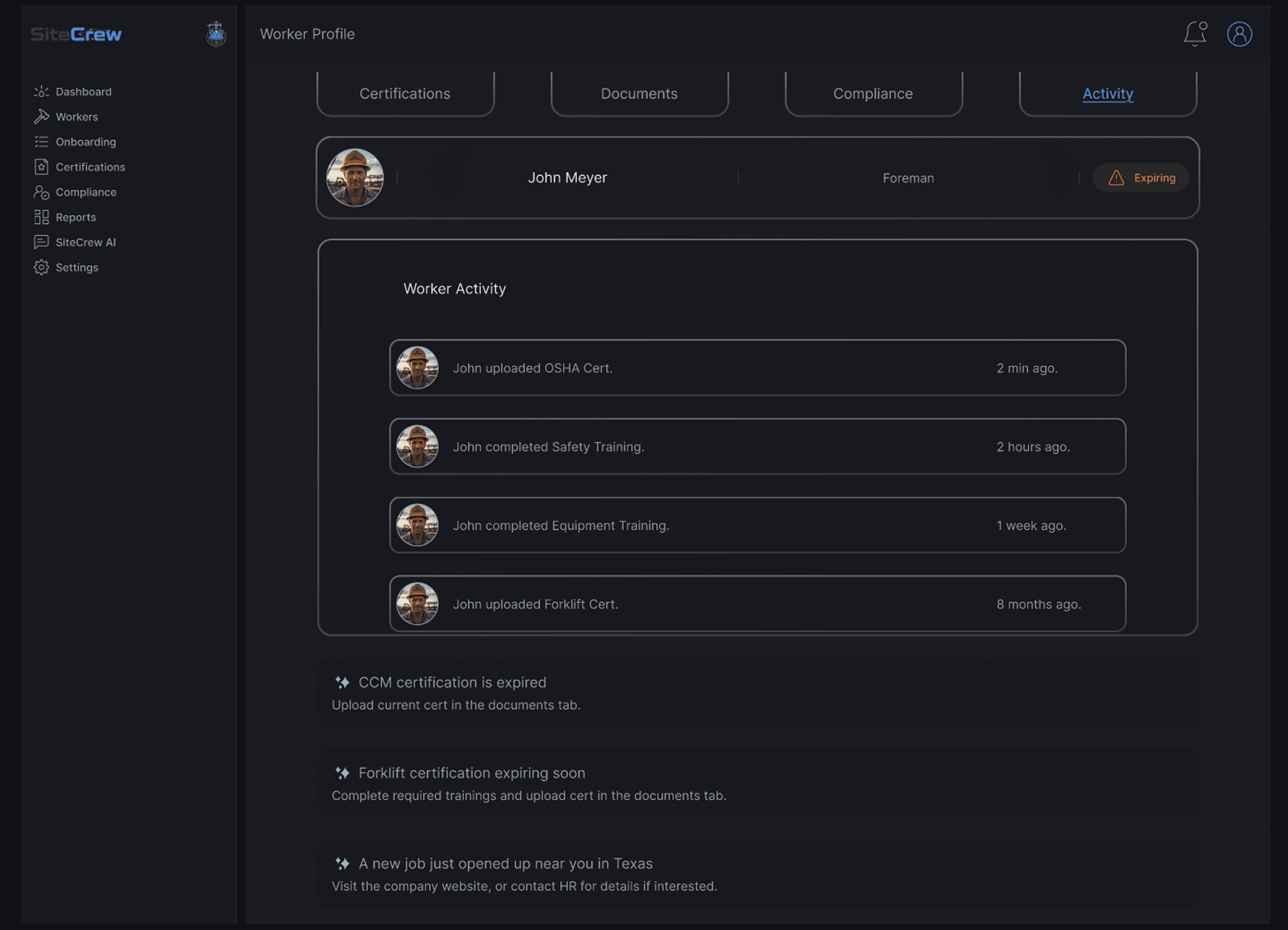
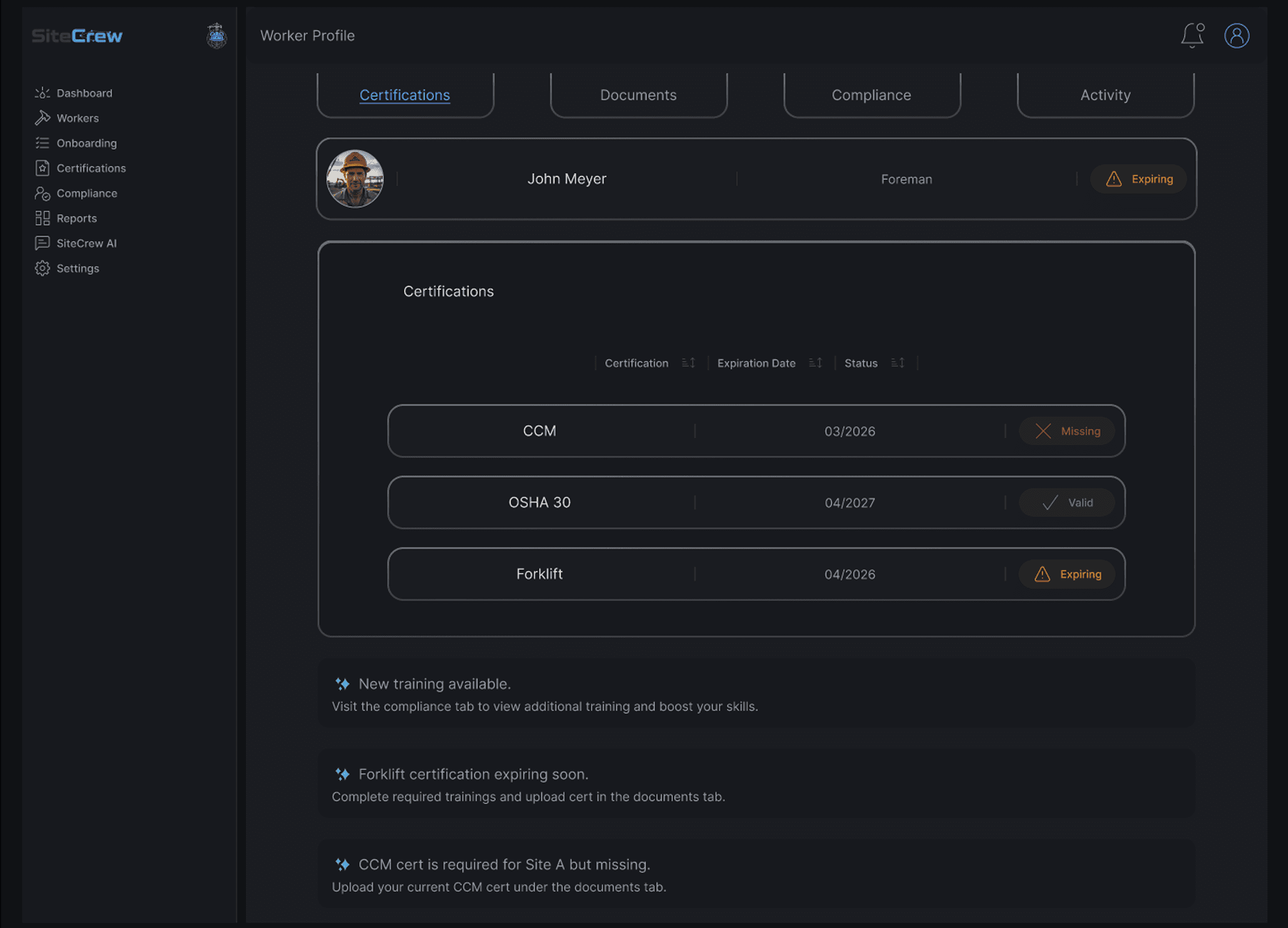
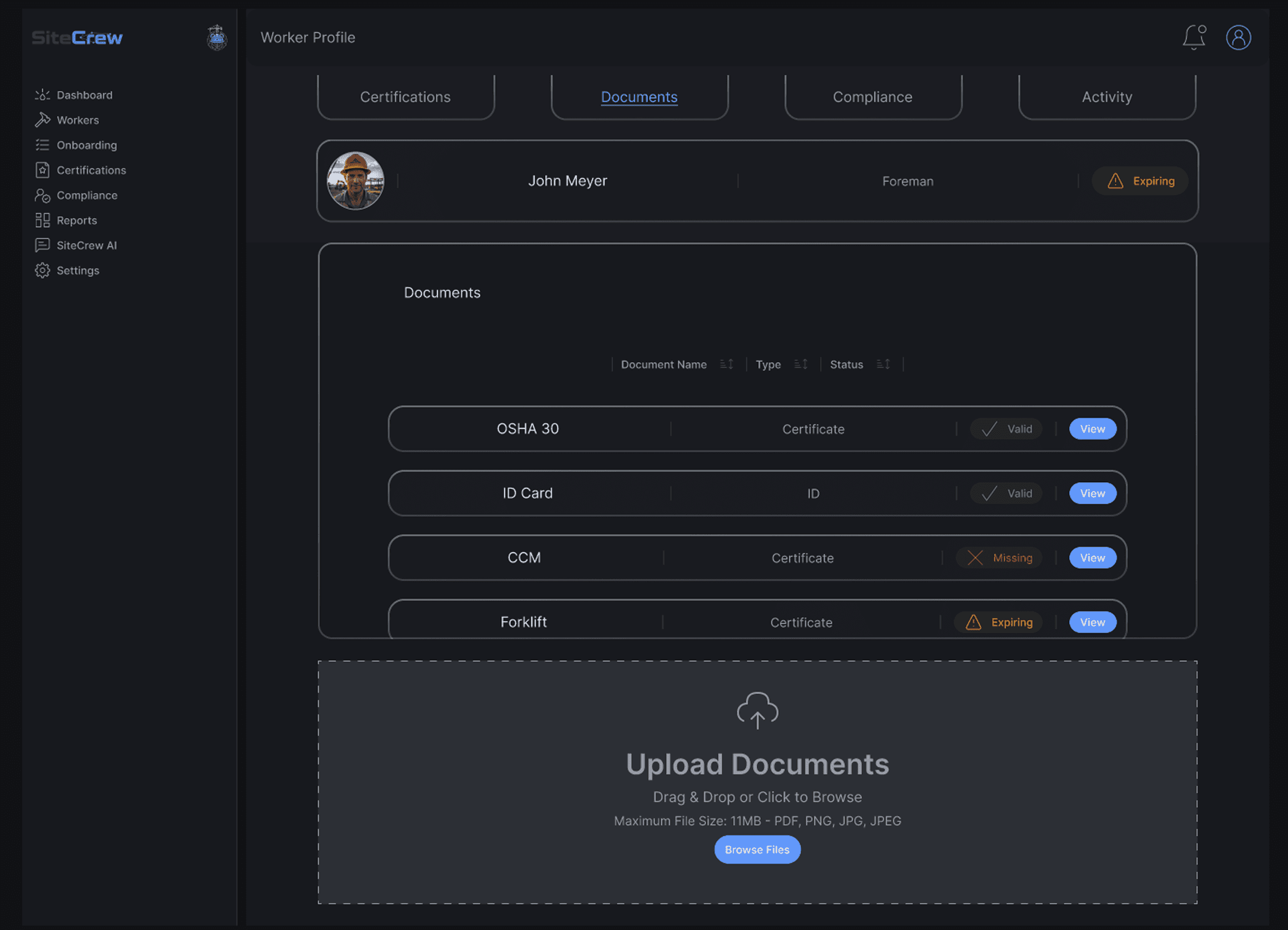
Each worker has a profile that brings everything together.

You can see:

  • certifications and expiration dates

  • uploaded documents

  • compliance status

  • activity history

AI summaries highlight risks so you don’t have to dig through details to understand what’s going on.
AI Integration

AI Integration

AI is built into the system, not just added as a feature.

It helps:

  • flag risks early

  • explain requirements

  • recommend actions

  • answer questions through the assistant

The goal was to make the system feel like it’s helping you stay ahead, not just reacting after something goes wrong.

AI is built into the system, not just added as a feature.

It helps:

  • flag risks early

  • explain requirements

  • recommend actions

  • answer questions through the assistant

The goal was to make the system feel like it’s helping you stay ahead, not just reacting after something goes wrong.

Reports

Reports

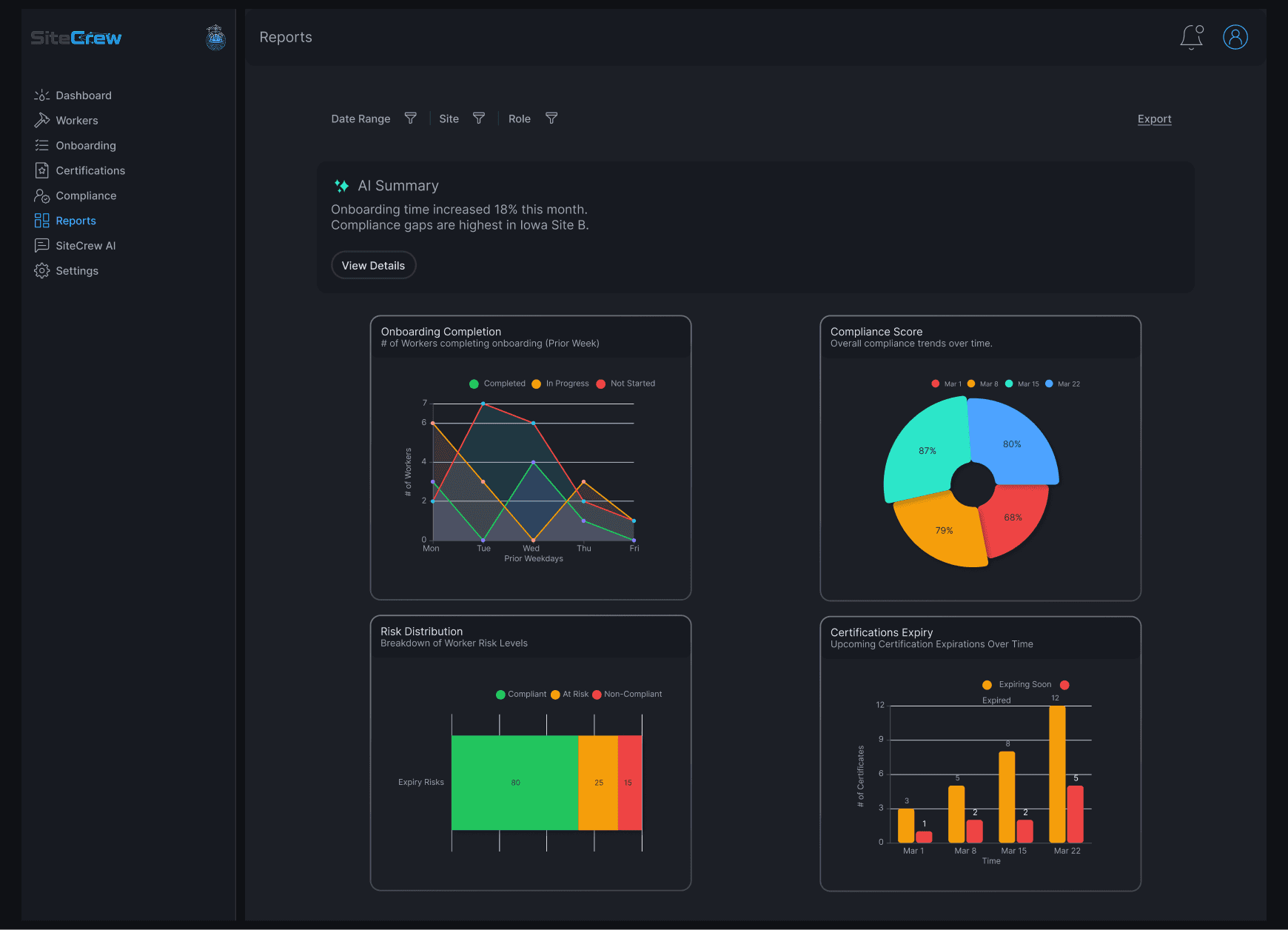
The reports focus on trends, not just raw data.

They show things like:

  • onboarding completion

  • compliance over time

  • certification expirations

  • workforce risk

AI helps explain what the data means, so users can quickly understand where to focus.

The reports focus on trends, not just raw data.

They show things like:

  • onboarding completion

  • compliance over time

  • certification expirations

  • workforce risk

AI helps explain what the data means, so users can quickly understand where to focus.

Settings

Settings

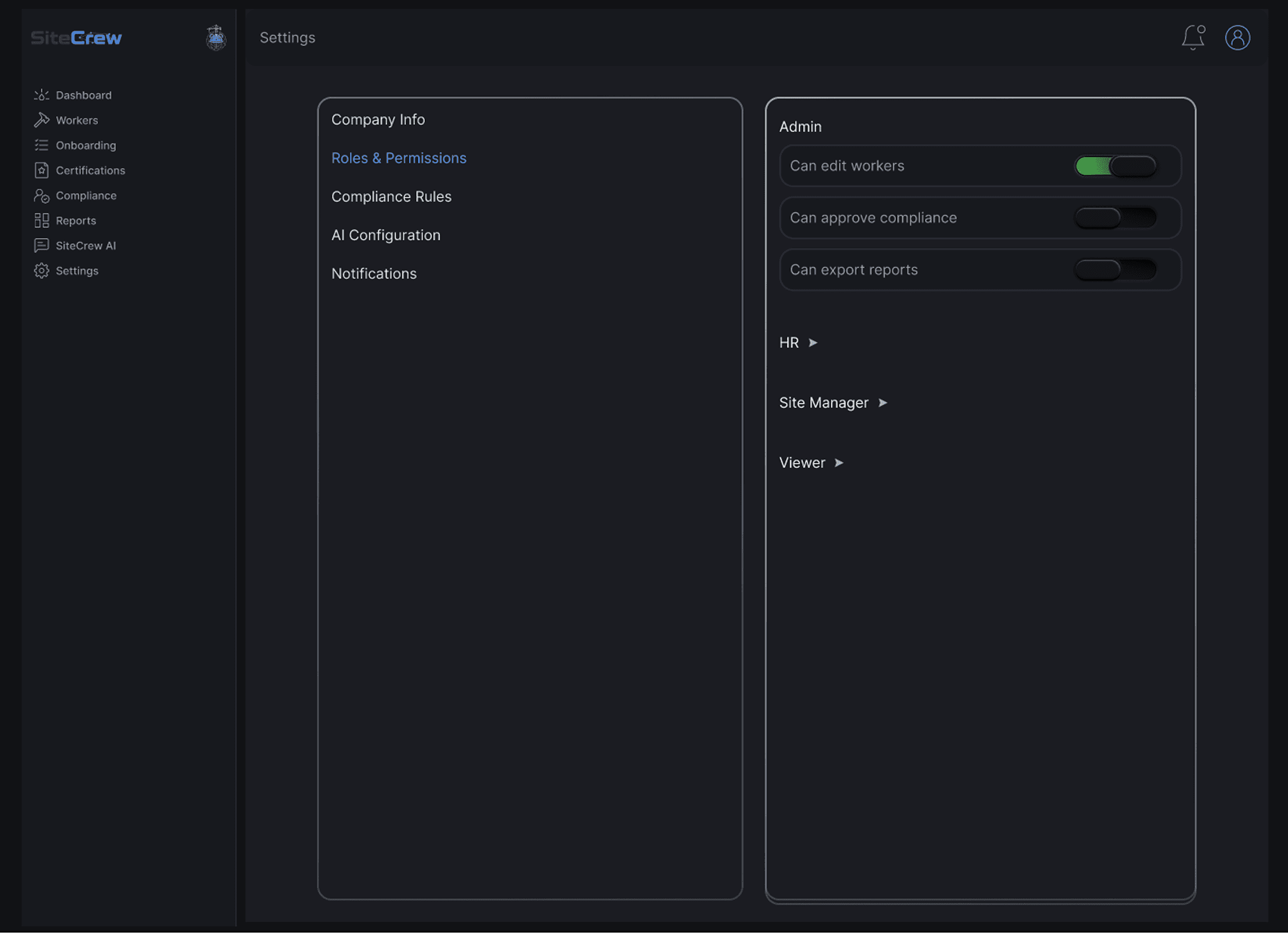
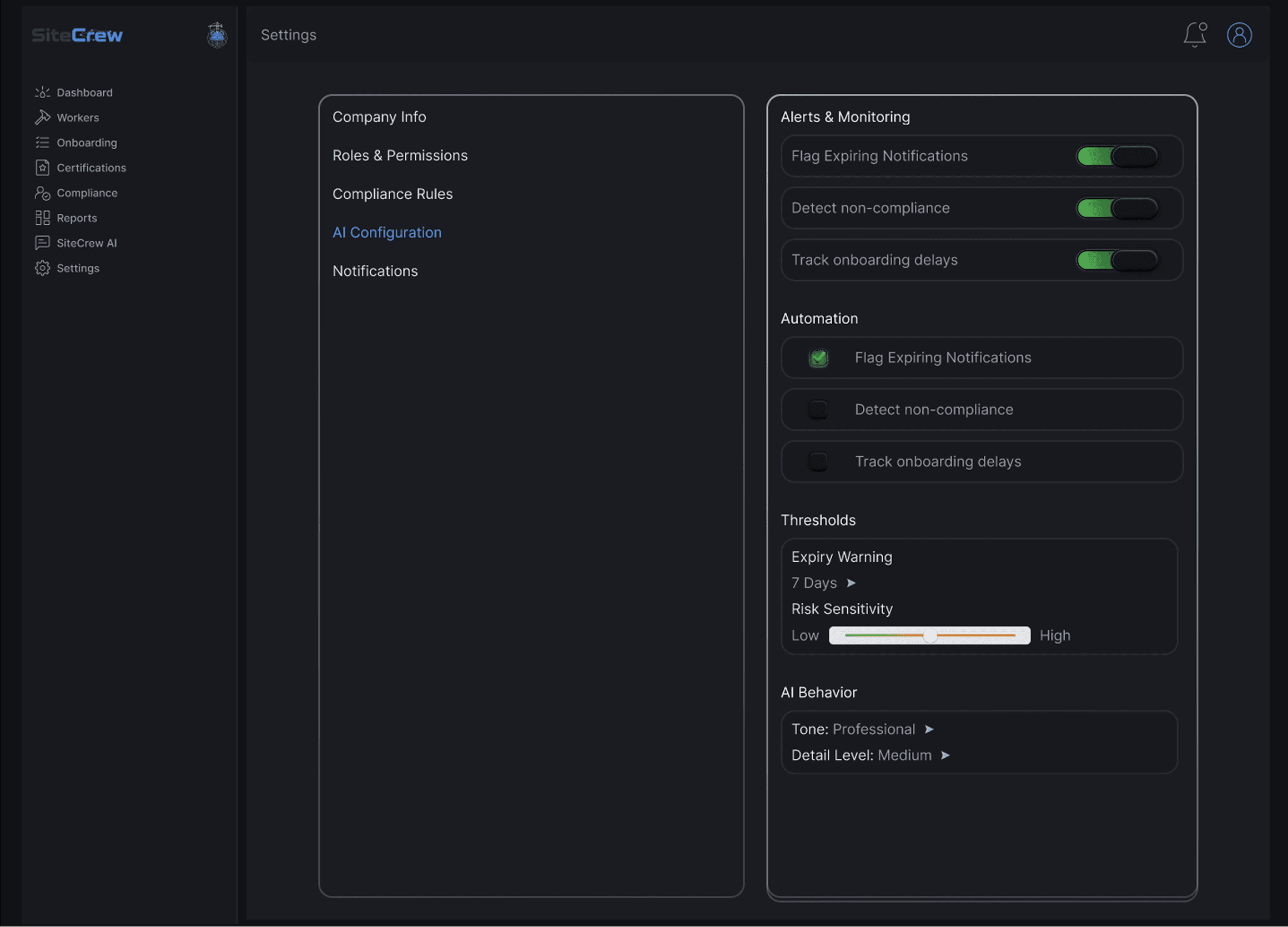
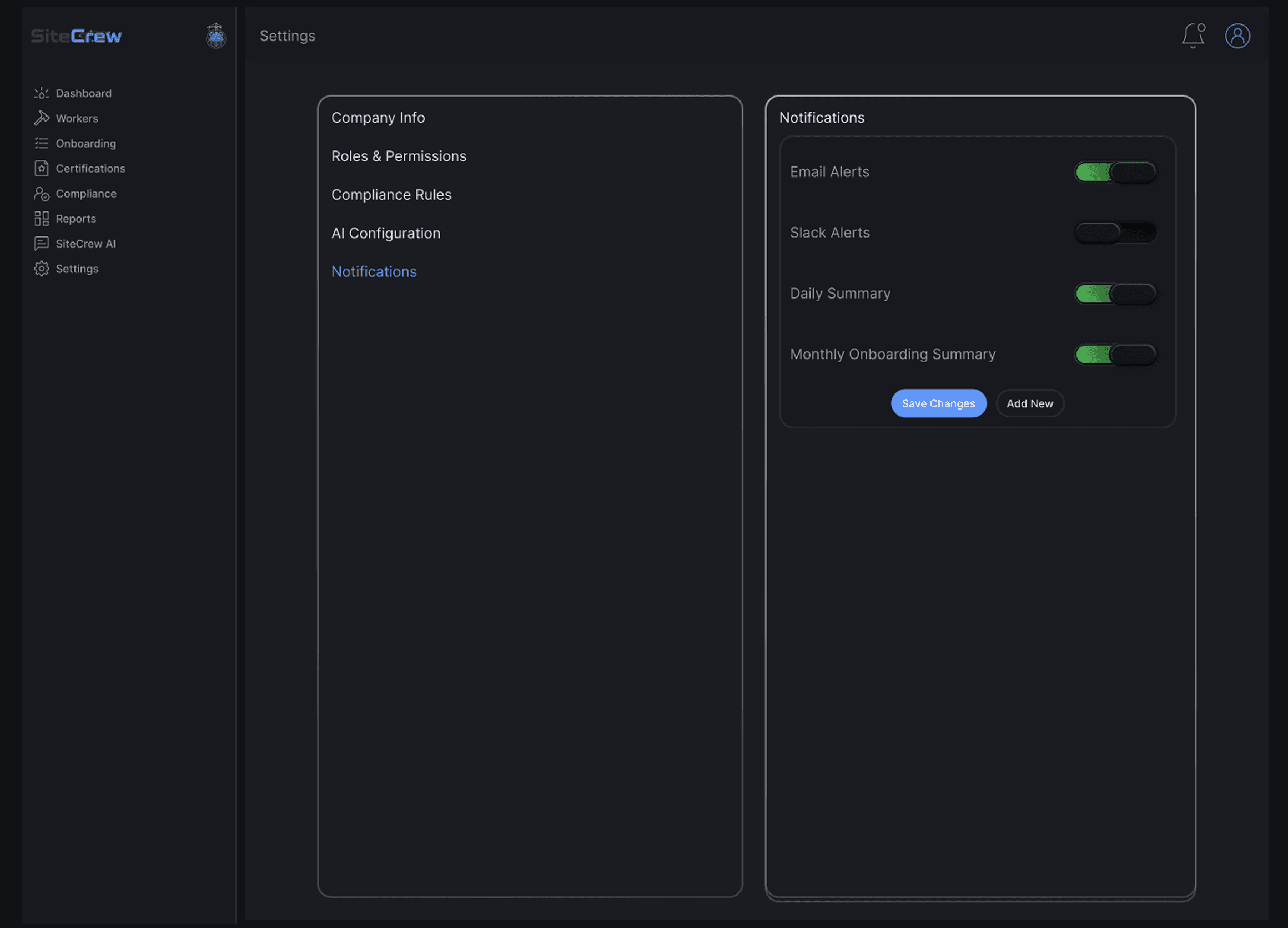
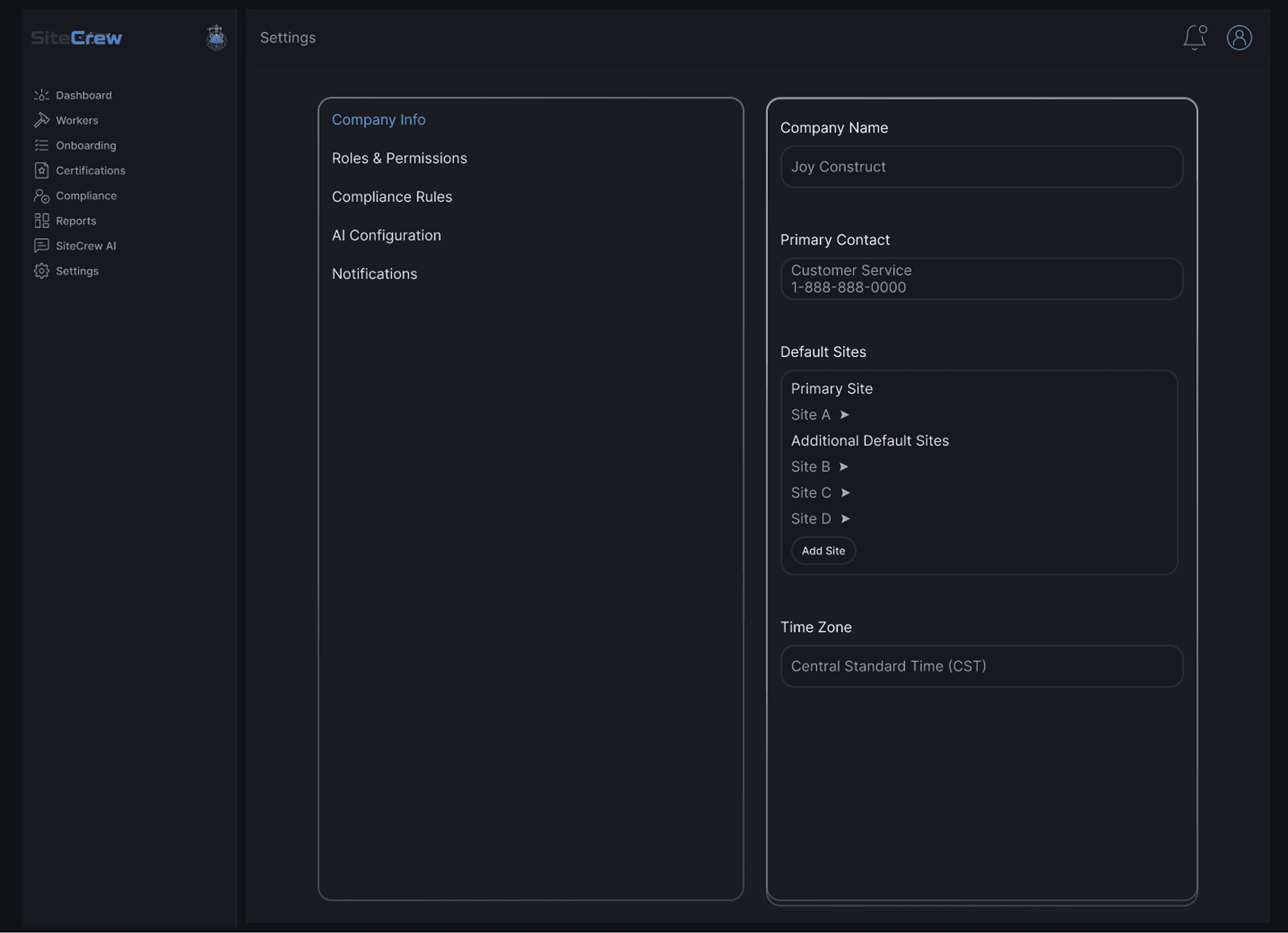
The system includes settings for managing:

  • compliance rules (by state, site, and role)

  • AI behavior and automation

  • notifications and alerts

This gives teams control over how the system works while keeping everything consistent.
Reflection

Reflection

This project pushed me to think beyond individual screens and focus on how everything connects.

A few things that stood out:

  • clarity is more important than adding more features

  • AI is only valuable if it helps people make decisions

  • good UX reduces uncertainty and makes next steps obvious

If I kept going, I’d test this with real users, refine onboarding into a more guided experience, and expand automation within the AI system.

"Made with coffee, curiosity, and a lot of “wait… one more tweak.”