Assured
Truck Care.
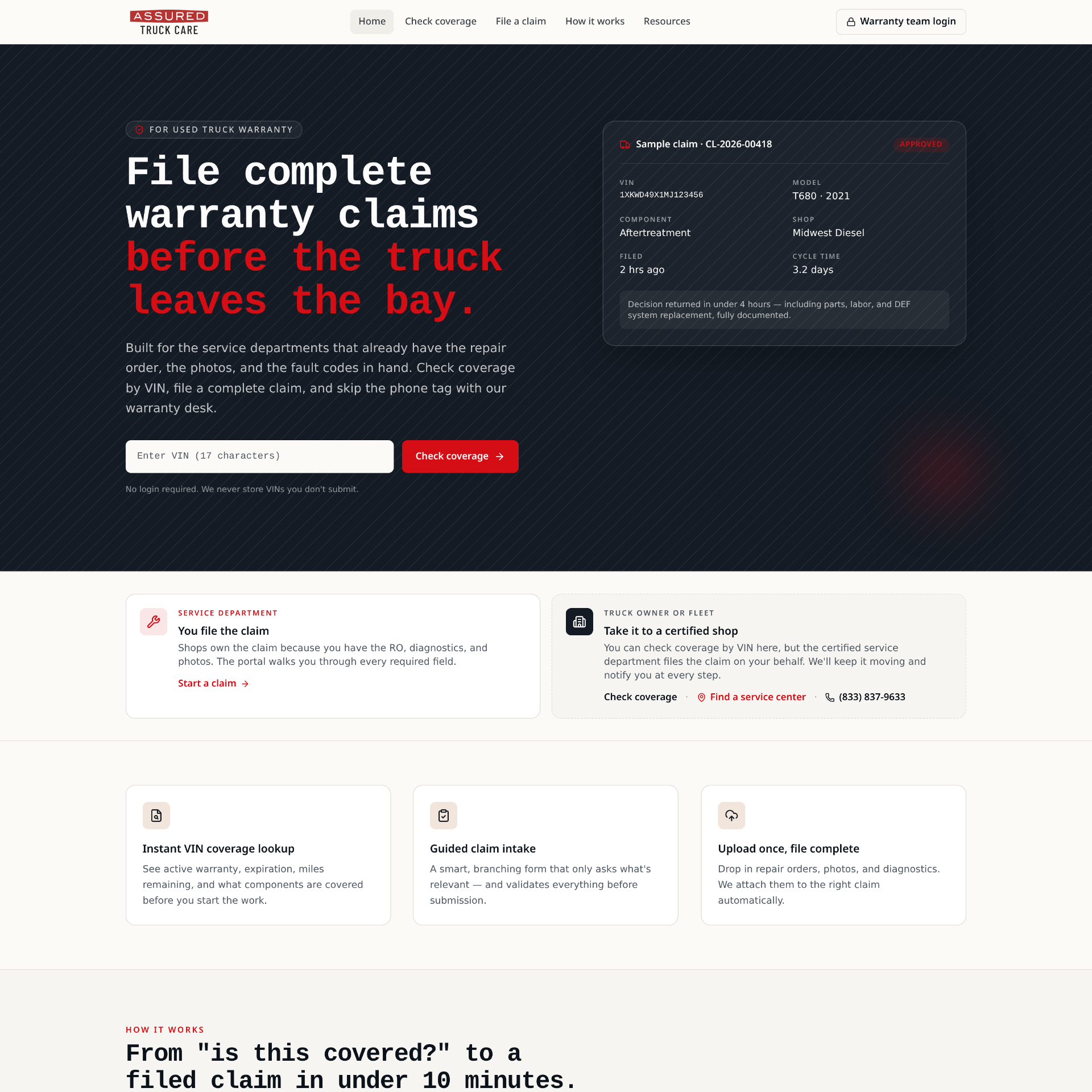
I designed this website to reduce manual processes used by a semi-truck dealership. The design serves multiple users, the warranty team, service technicians, and the customer, through one structured intake and claim flow.
- Role
- Product Designer
- Timeline
- 2 Weeks
- Focus
- Workflow Optimization
01, The Problem
Multiple manual processes and confusion across teams and users.
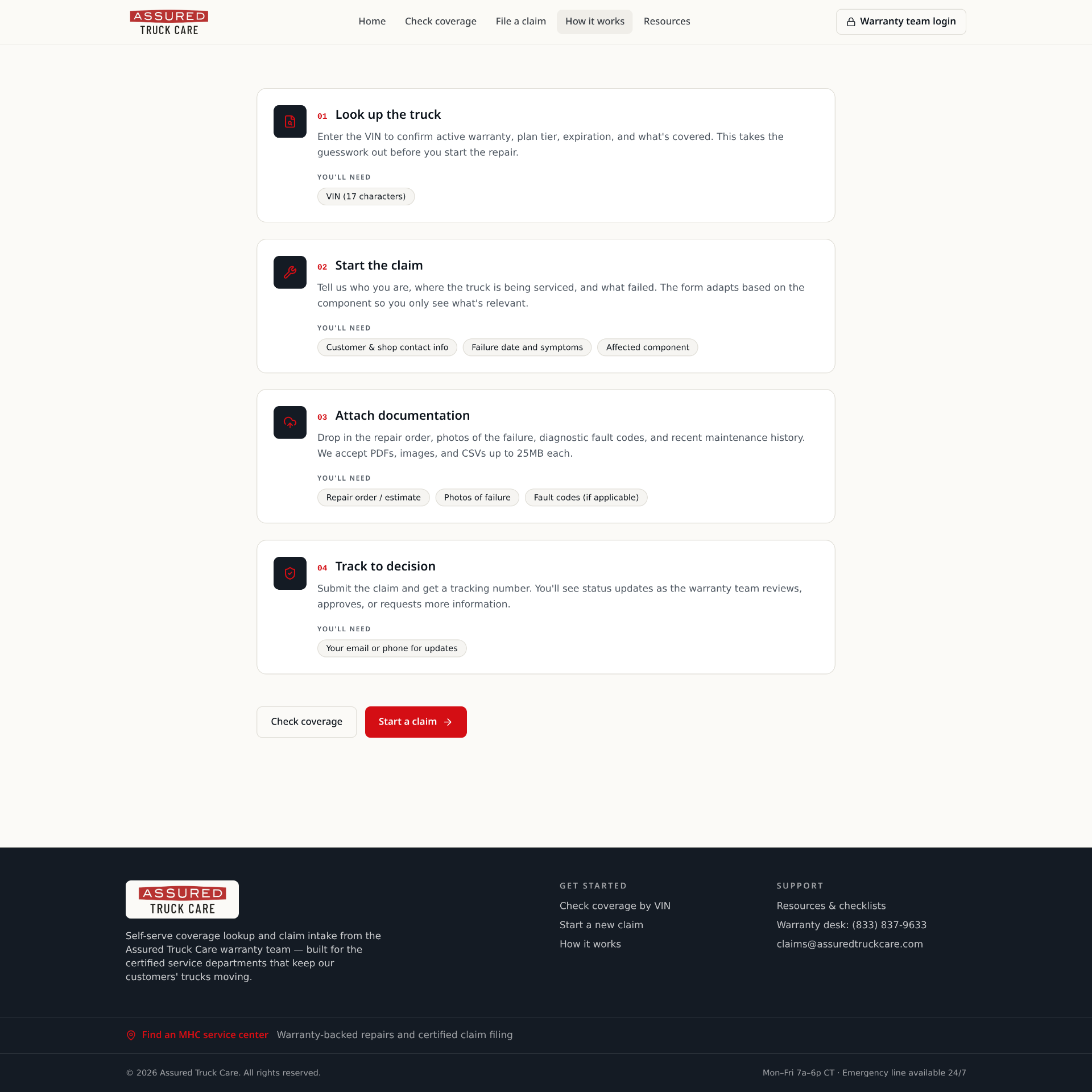
Service teams and customers were unclear on claim filing requirements, and all claims along with required documentation were being sent through email with no structure.
Lack of Resources
There was no clear information on how claims needed to be filed, who files them, and what's required.
Unclear Requirements
Users were unsure what documentation should be submitted, and customers were confused by the process.
Manual Workflows
Claim emails were coming from multiple service departments at different dealer locations for warranty to file.
Limited Visibility
Customers and teams had to call to get insight on the process and what to expect.
02, My Approach
I approached this project through the eyes of various users.
I identified areas where processes could improve and reduce the manual workflows, and opportunities to better inform the customer.
01
Discover
Interviewed stakeholders and analyzed existing workflows and tools.
02
Define
Identified what problems needed solved and which processes were causing friction.
03
Structure
Designed the information architecture, workflow model, and set up smart forms.
04
Design
Created wireframes, prototypes, and high fidelity designs.
05
Validate
Tested with users and refined based on feedback.
03, The Features
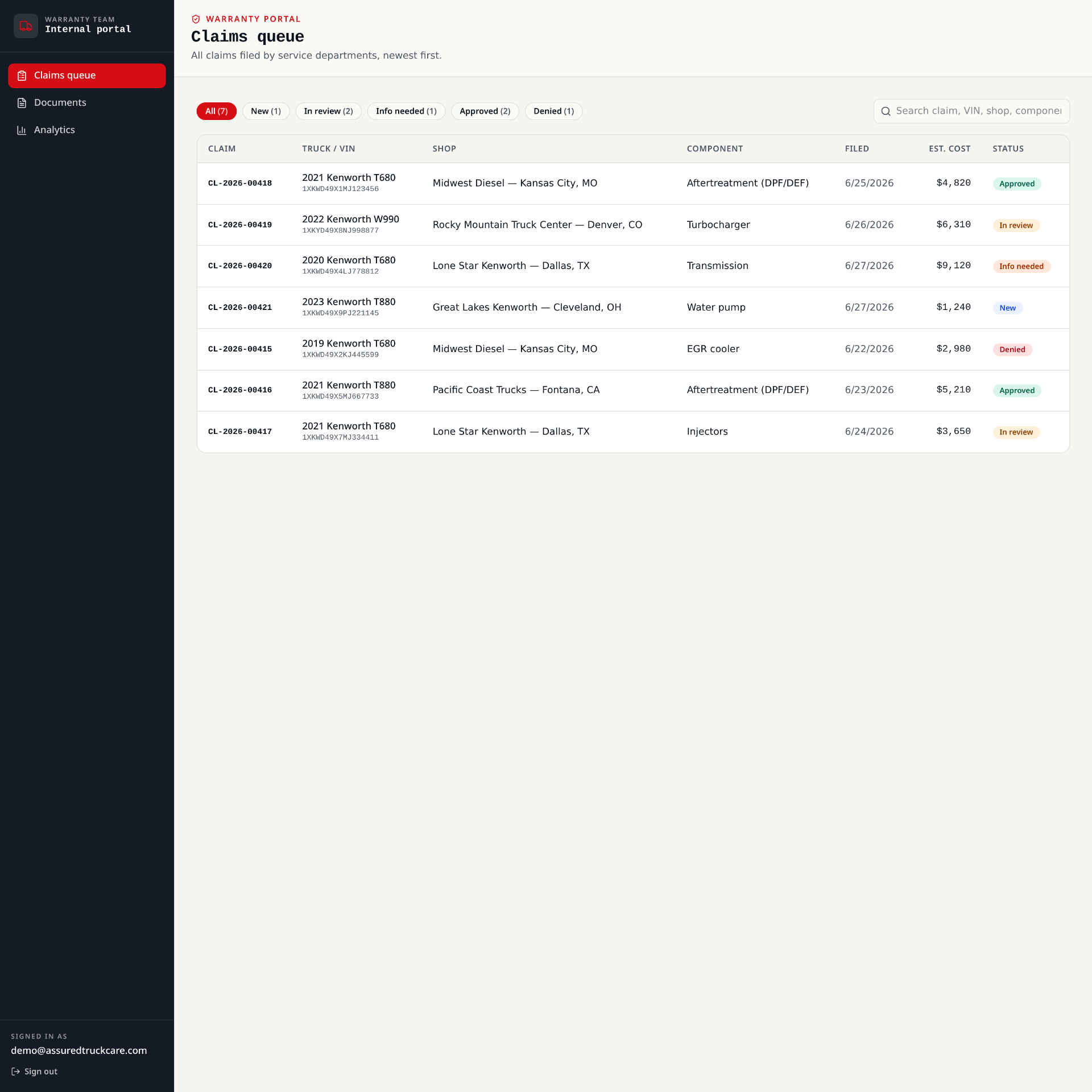
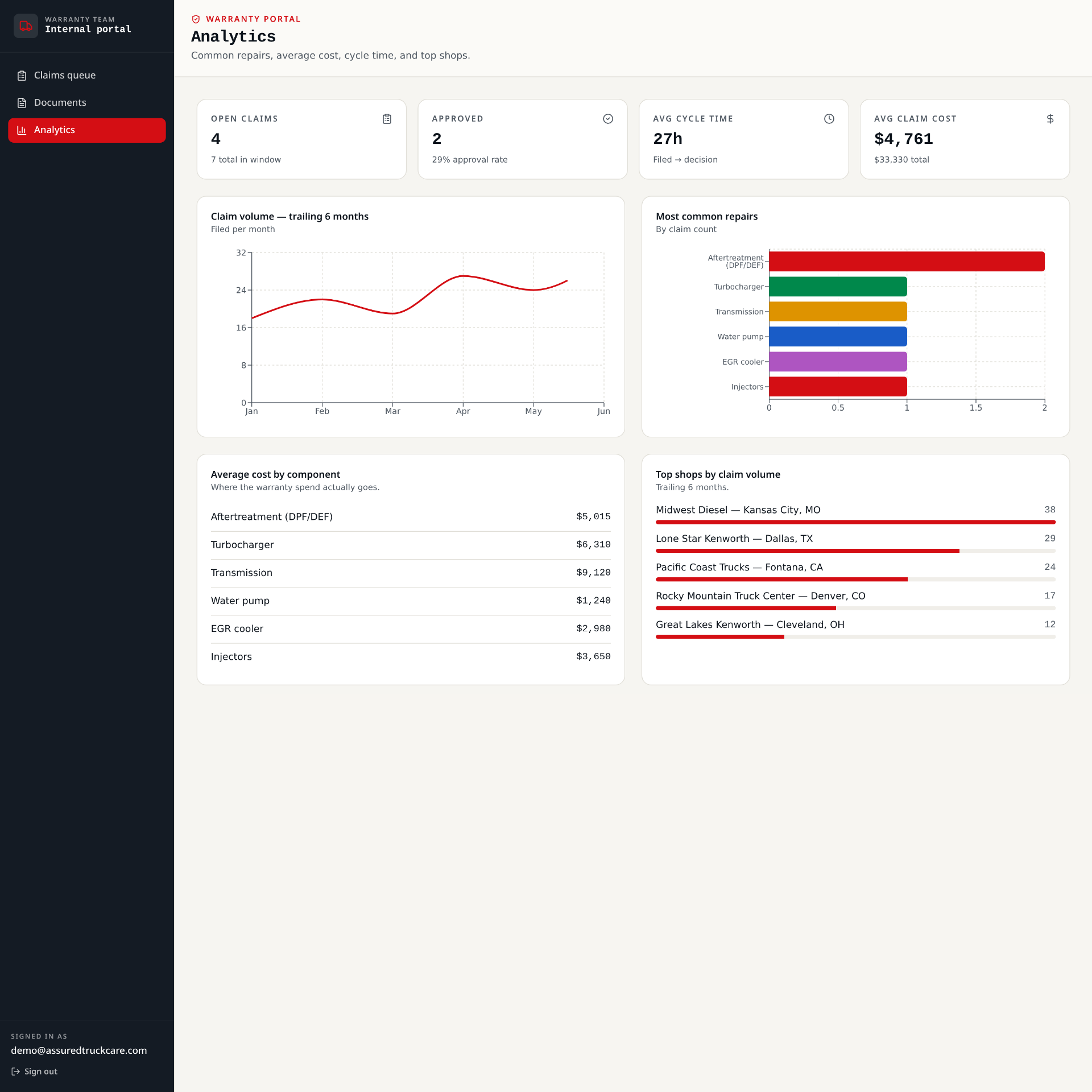
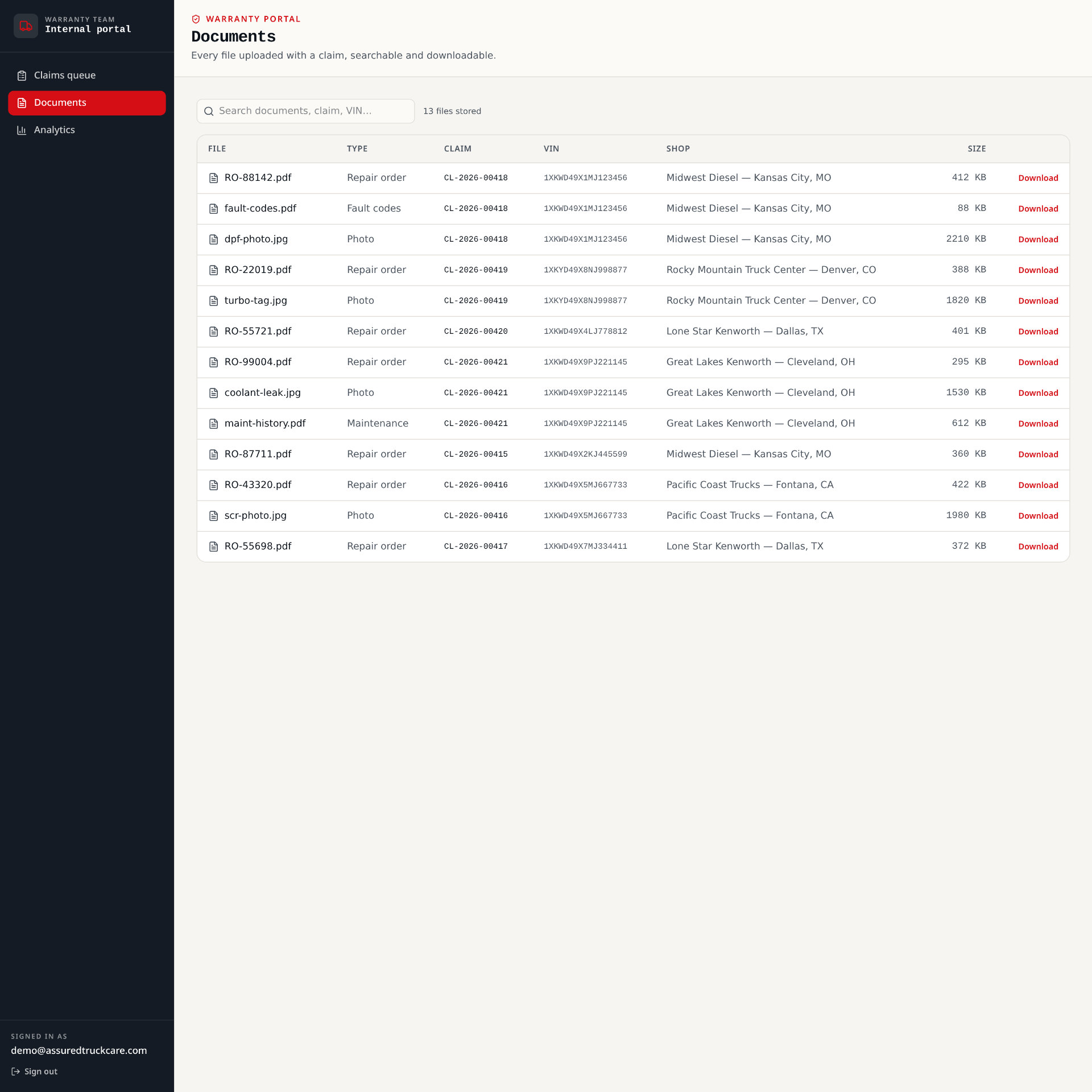
A self-serve warranty experience for the shop, the customer, and the warranty team.
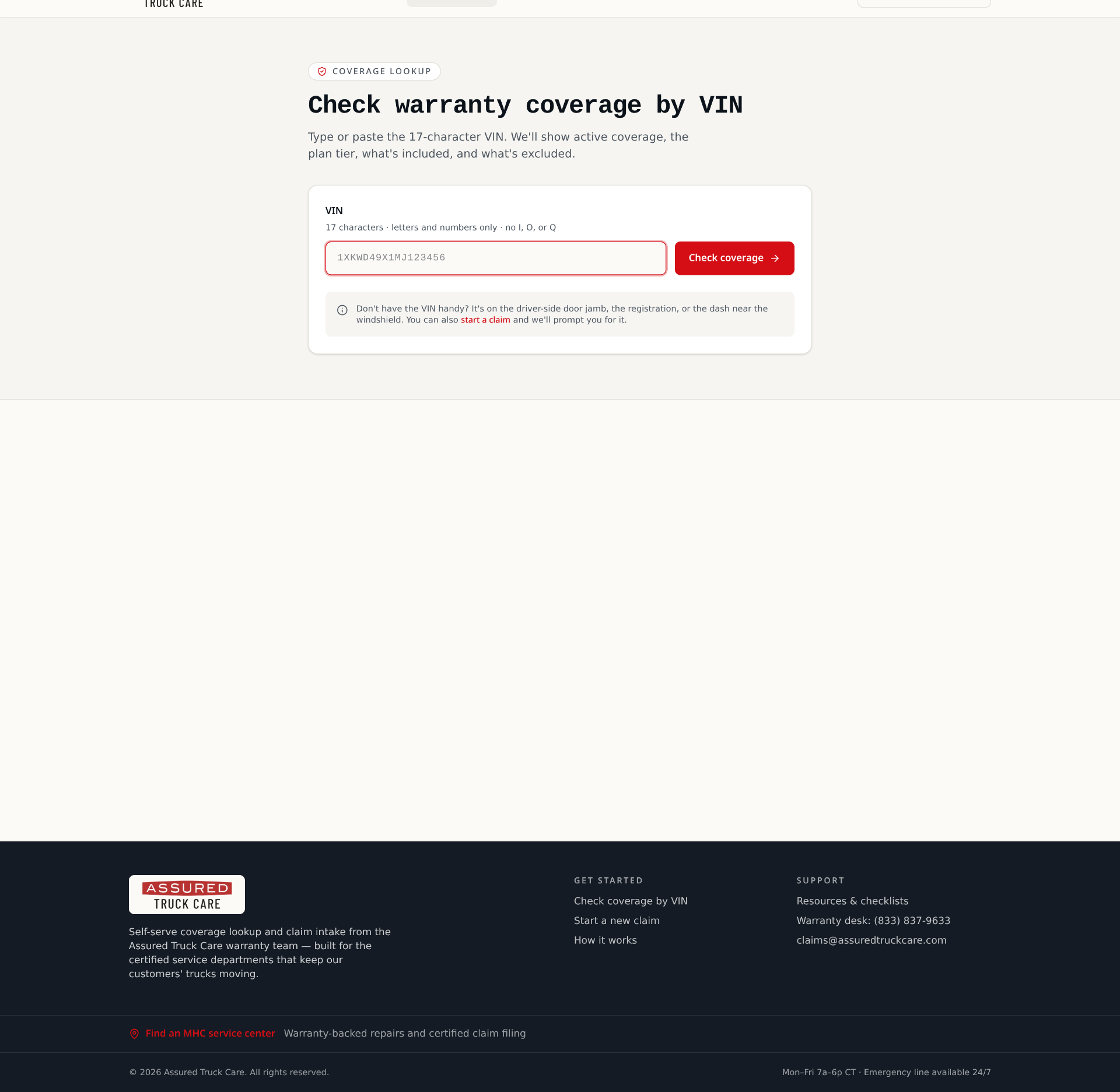
- VIN coverage lookup
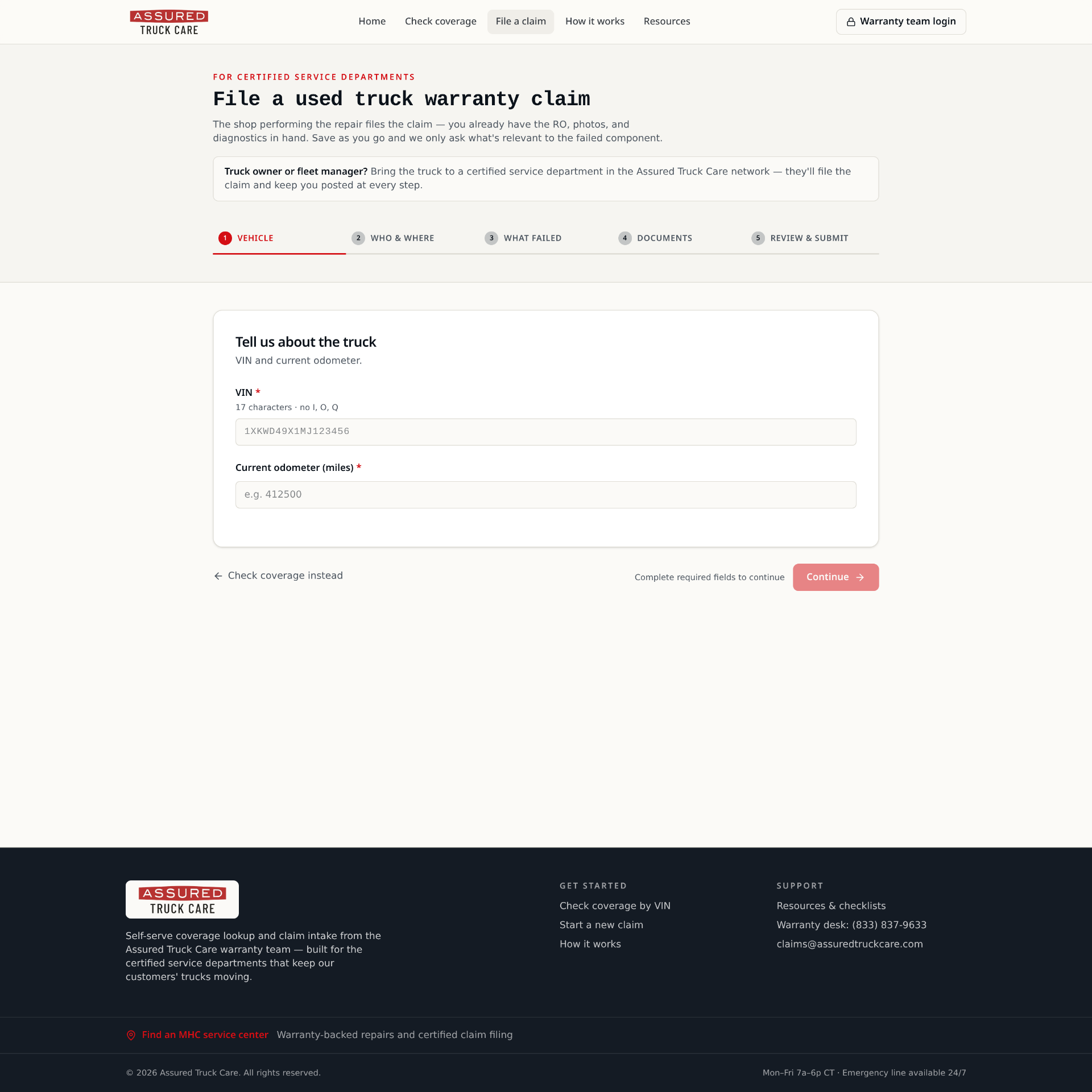
- Guided claim intake
- Document upload
- Warranty queue
- Analytics
- Document library
04, Design Decisions
Every decision was intentional and designed to be informative.
Homepage
Quickly informs users and offers clear, actionable items.
Clear Hierarchy
Users can scan, access, and complete information and required steps.
Smart Form Integration
Allows users to easily submit warranty claims and understand requirements.
Assists Teams
Provides a structured process, reduces manual tracking and cognitive load.
Informative Design
Supports scalability across the business and teams while acting as the resource for users.
05, Reflection
What I learned from this project.
Structured Processes
Structuring processes across teams helps solve complex problems and aids understanding.
Clear Requirements
Providing transparent expectations and requirements reduces communication barriers.
Forms Are a Guide
Smart forms guide users to input key data, which reduces scattered information received by the team.
Resource Bonus
Users appreciate quick and easy resources in moments when service is needed.
Next case
Brand & Web · 2026