SiteCrew
AI.
I designed SiteCrew AI to simplify onboarding while automatically tracking certifications and compliance. The goal was to reduce risk, save time, and give teams a clear understanding of who is ready to work, and what needs attention.
- Role
- Product Designer
- Timeline
- 3 Weeks
- Focus
- Workflow Optimization
01, The Problem
Difficulty managing and tracking onboarding, compliance and certifications.
Construction crews were assigned to job sites across many locations that had different requirements, resulting in manual tracking processes that were inefficient.
Scattered Crew Data
Certifications, training records, and job site requirements lived in spreadsheets, HR systems, and physical files with no single source of truth.
Compliance Confusion
With varying requirements across locations, teams struggled to track expiring certifications, missing training, and who was actually cleared to work.
Onboarding Bottlenecks
New hires and transfers faced repetitive paperwork, slow approvals, and manual verification that delayed crews from getting to the job site.
No Readiness Visibility
Leaders had no real-time way to see crew compliance status across teams and locations, leading to last-minute scrambles and project delays.
02, My Approach
I took a systems-first approach to simplify operations.
I identified friction points and integrated AI to assist with decision making and to prioritize tasks.
01
Discover
Interviewed stakeholders and analyzed existing workflows and tools.
02
Define
Combined insights and identified key problems to solve.
03
Structure
Designed the information architecture and workflow model.
04
Design
Created wireframes, prototypes, and high fidelity designs.
05
Validate
Tested with users and refined based on feedback.
03, The Features
A unified workspace designed for clarity, speed and control.
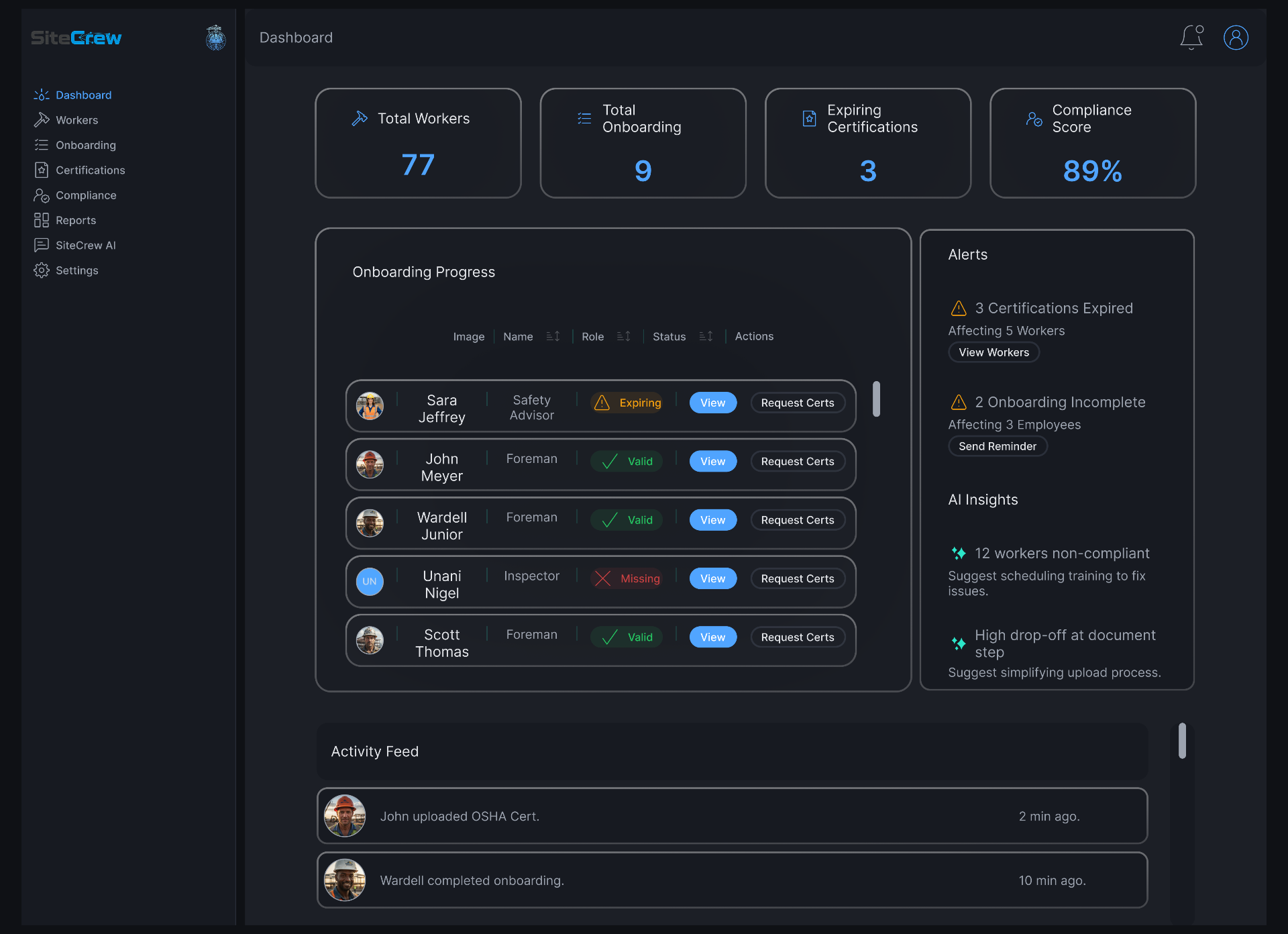
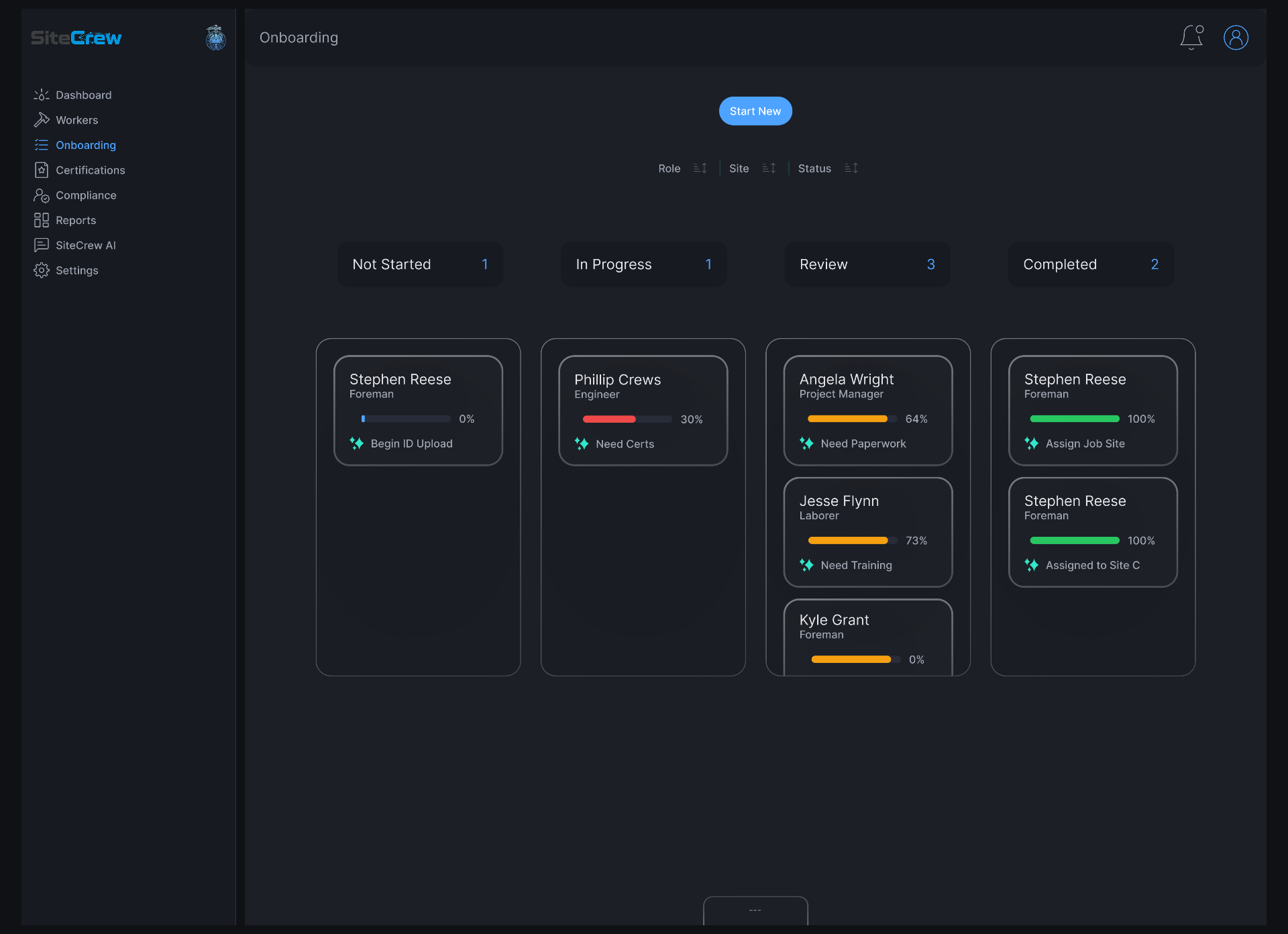
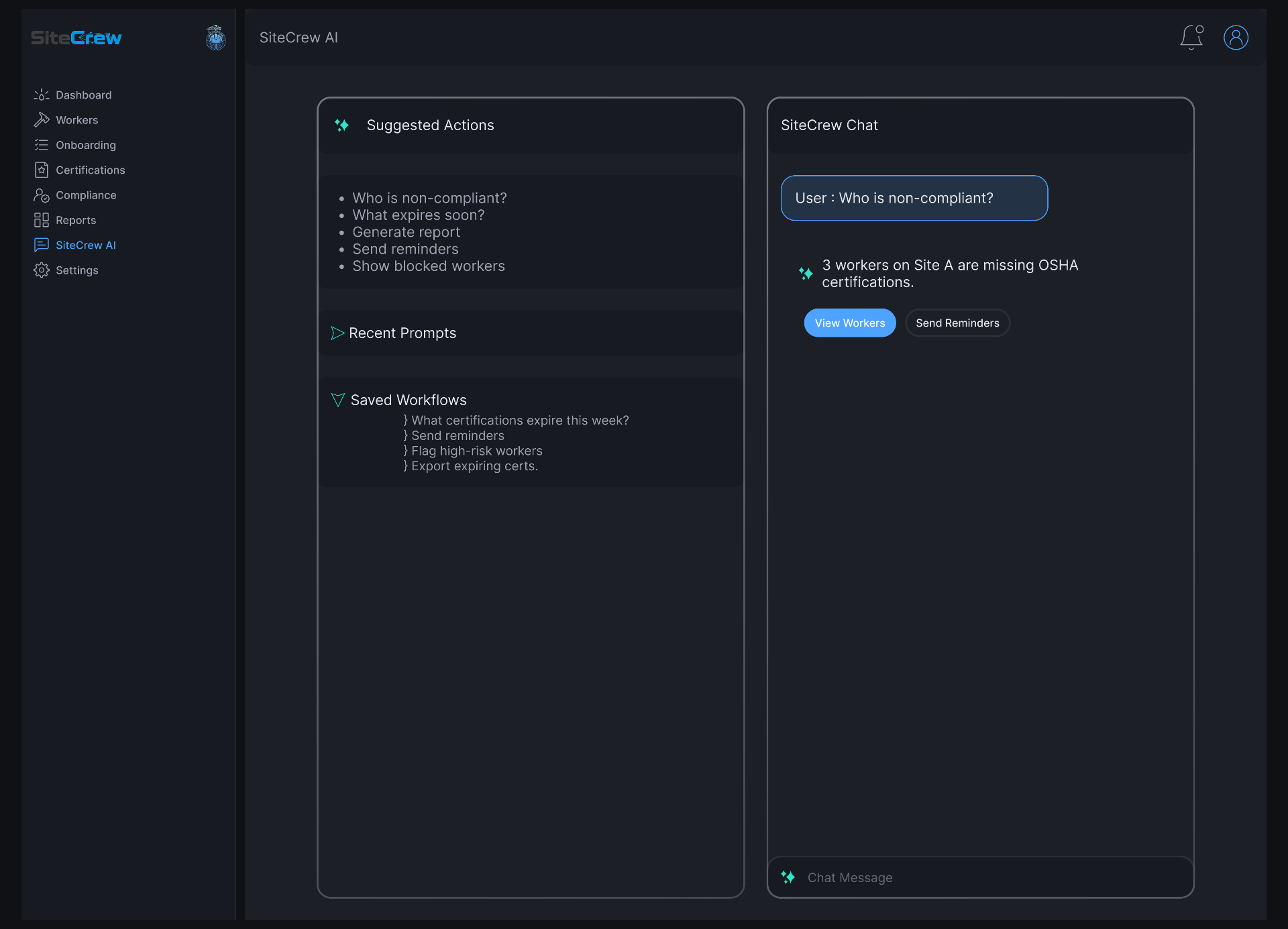
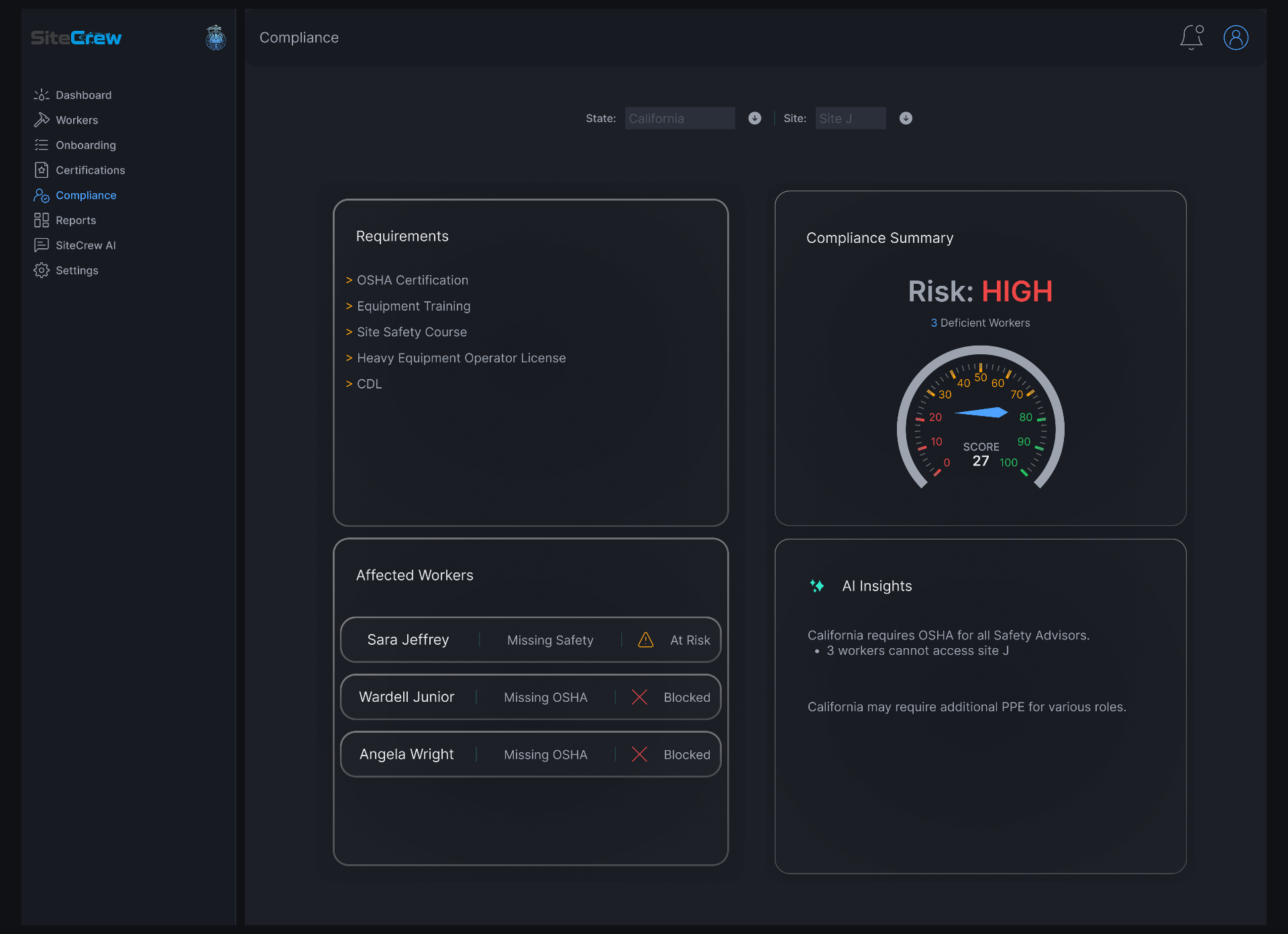
- Unified Overview
- Smart Onboarding
- AI Assistant
- Compliance Visibility
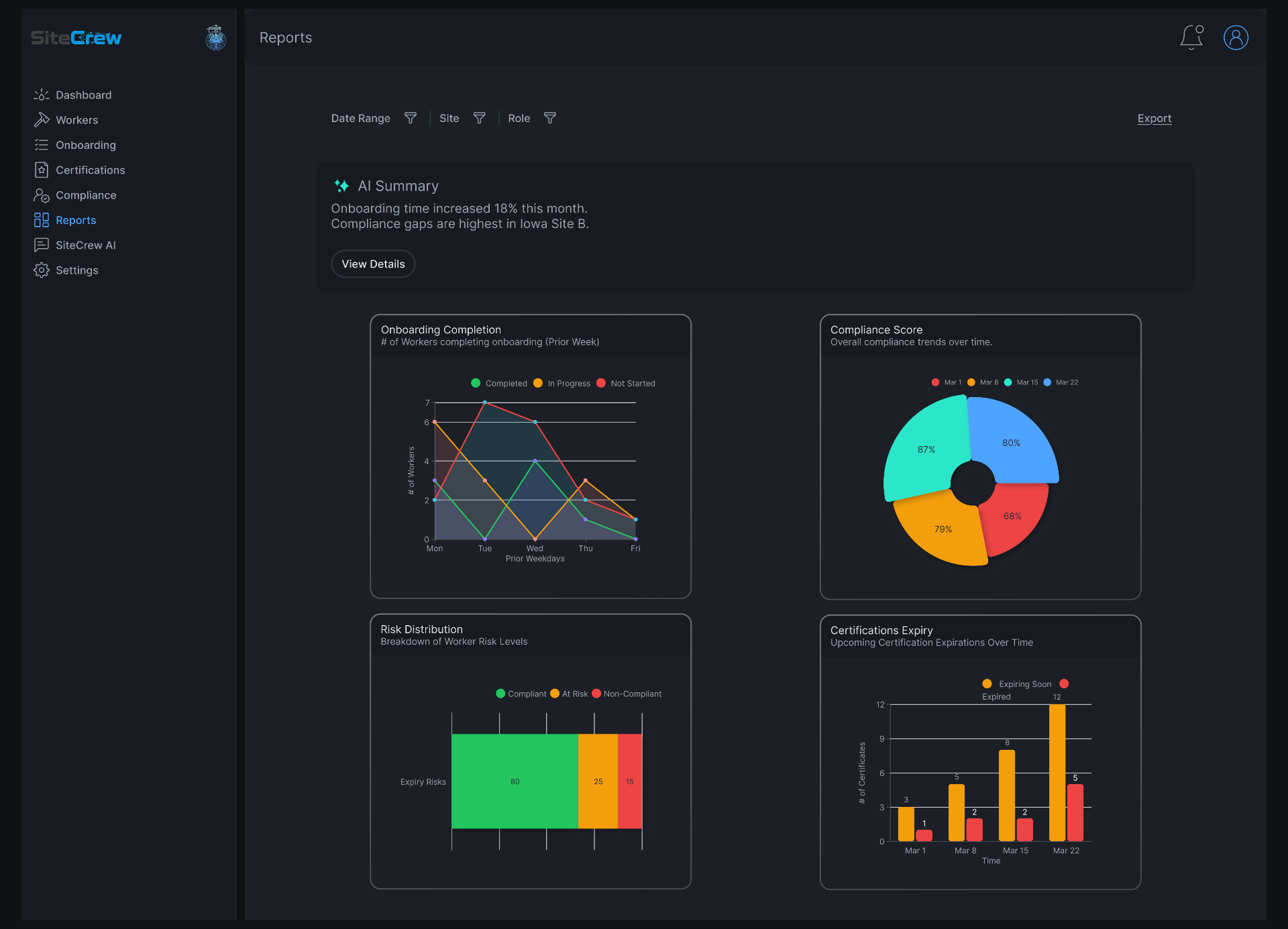
- Reports & Insights
04, Design Decisions
Every decision was intentional and rooted in user needs.
Unified Dashboard
Reduces context switching and gives an at-a-glance view of key data and insights.
Clear Hierarchy
Helps users quickly scan, prioritize, and take action.
AI Integration
Surfaces next steps and suggestions. Reduces manual burden and speeds up decisions.
Progress Visibility
Access data quickly which builds confidence and keeps work moving forward.
Modular Design
Supports scalability across the business and teams.
05, Reflection
What I learned from this project.
Systems Thinking
Complex problems require mapping the entire system, not just interfaces.
Clarity Drives Adoption
When the experience is clear, users gain confidence and work faster.
AI Should Assist, Not Distract
The best AI moments are relevant and easy to act on.
Iterate Early and Often
Testing early ideas helped validate direction and improve the solution.
Next case
Healthcare · 2026